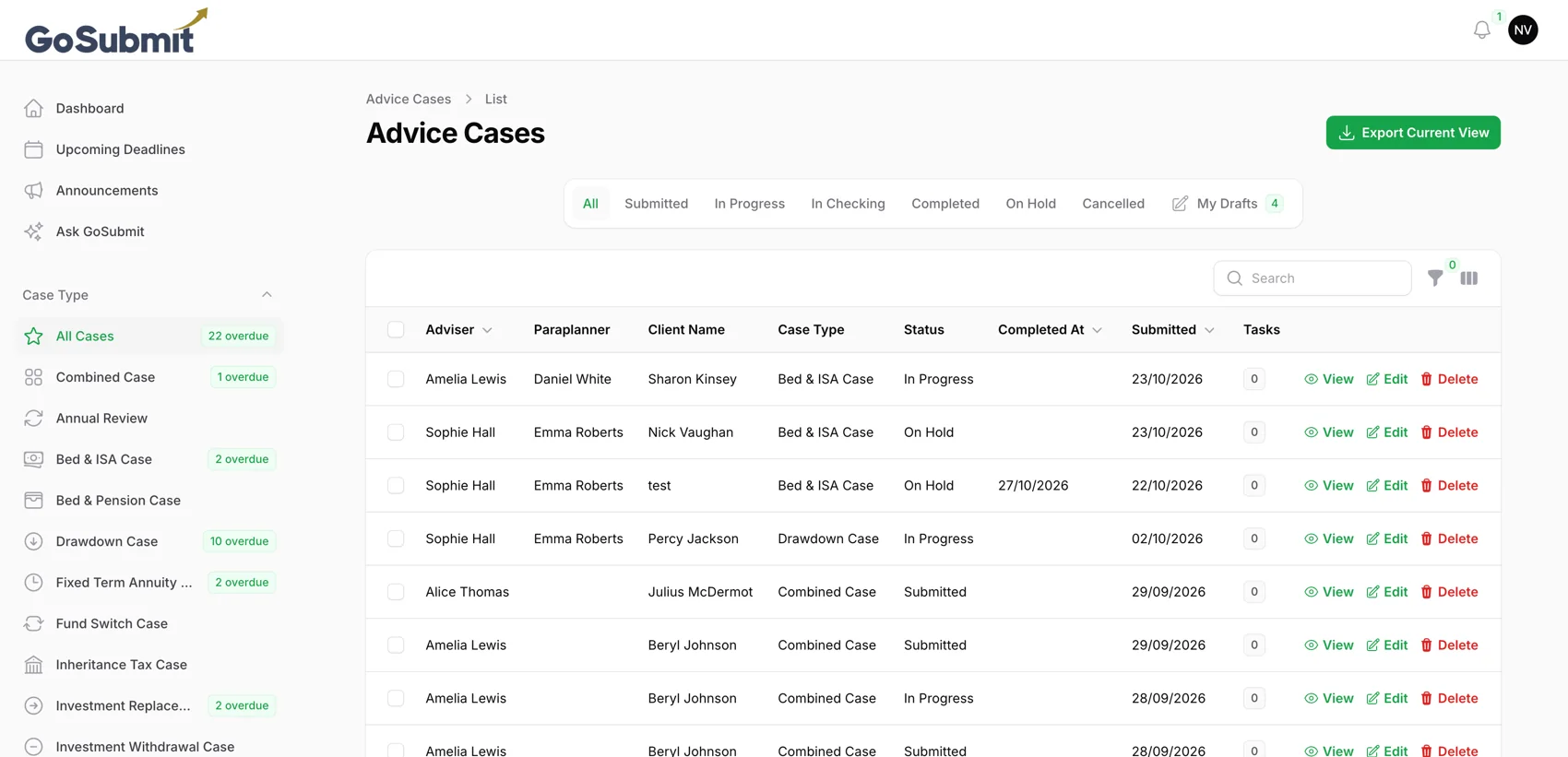
See assignments, case statuses, deadlines and outstanding work from one shared workspace.
Status and ownership at a glance
Filter cases and find the right work quickly
View workload and activity on your dashboard
GoSubmit product interface
CONFIGURABLE WORKFLOWS
Capture the right information first time.
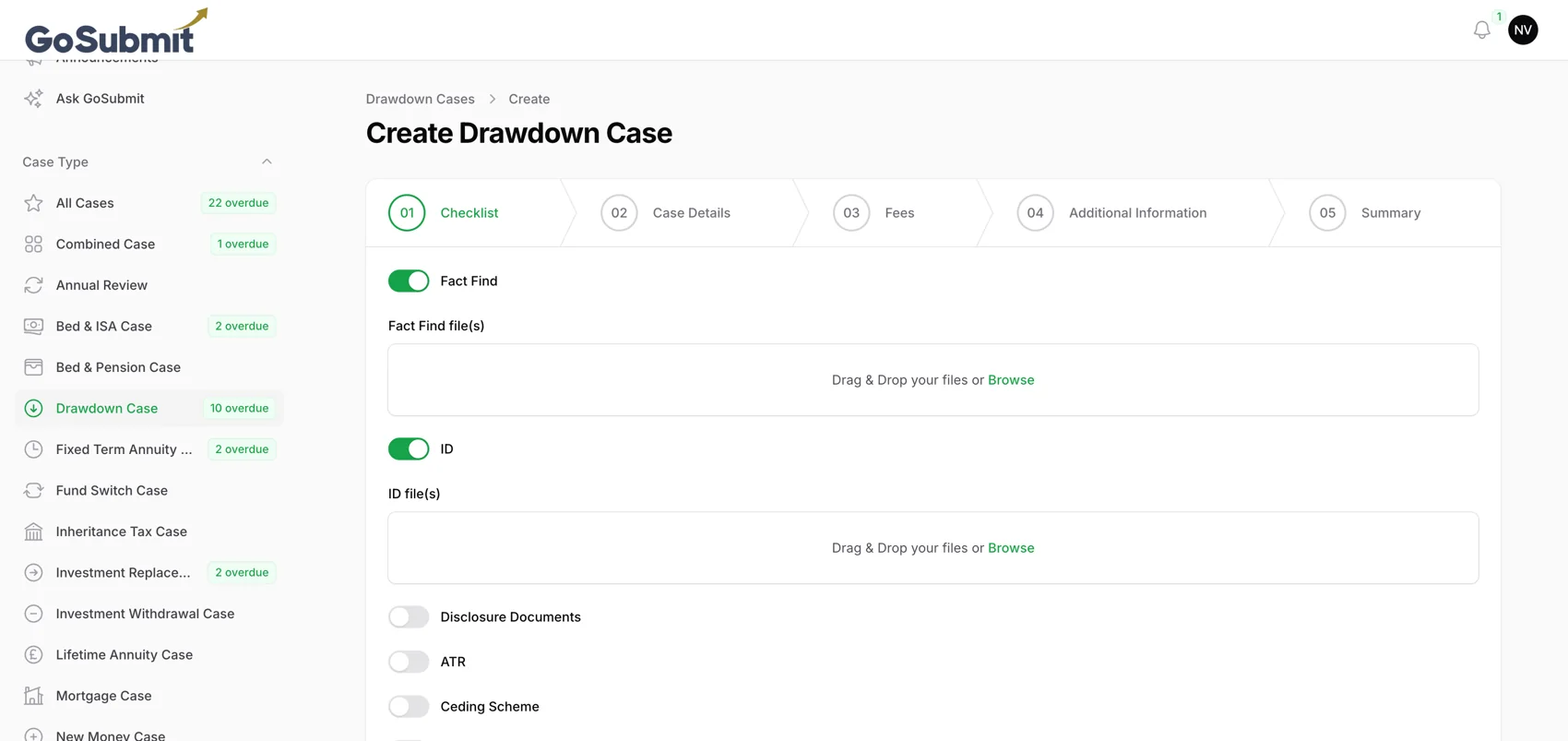
Use guided submissions and configurable checklists to give paraplanners the context and documents they need.
Case-specific checklists
Pre-configured, customisable case fields and document types
Save unfinished submissions as drafts
GoSubmit product interface
CONFIGURABLE CASE FIELDS
Your cases. Your fields. Your way.
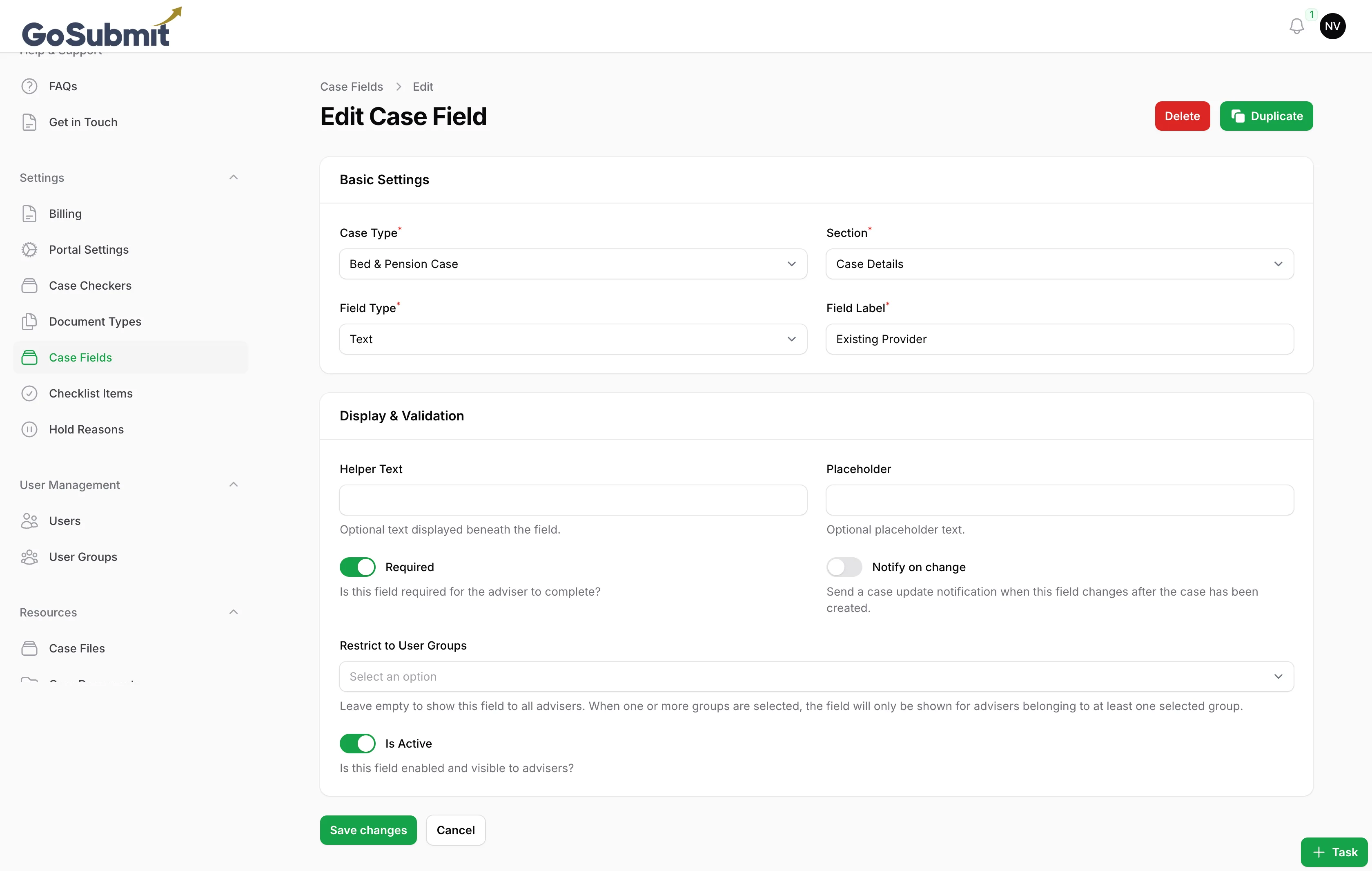
GoSubmit comes pre-configured with fields for every supported case type, so your team can get started straight away. When your processes call for something different, tailor the submission forms to suit.
Add and edit fields for individual case types, with text, select, radio and toggle inputs
Choose required fields, helper text and placeholders to guide advisers
Control visibility by adviser group and enable optional change notifications
Start with ready-to-use forms. Customise only what you need.
GoSubmit case field configuration · real product screen
COMBINED CASES
Multiple advice areas. One organised case.
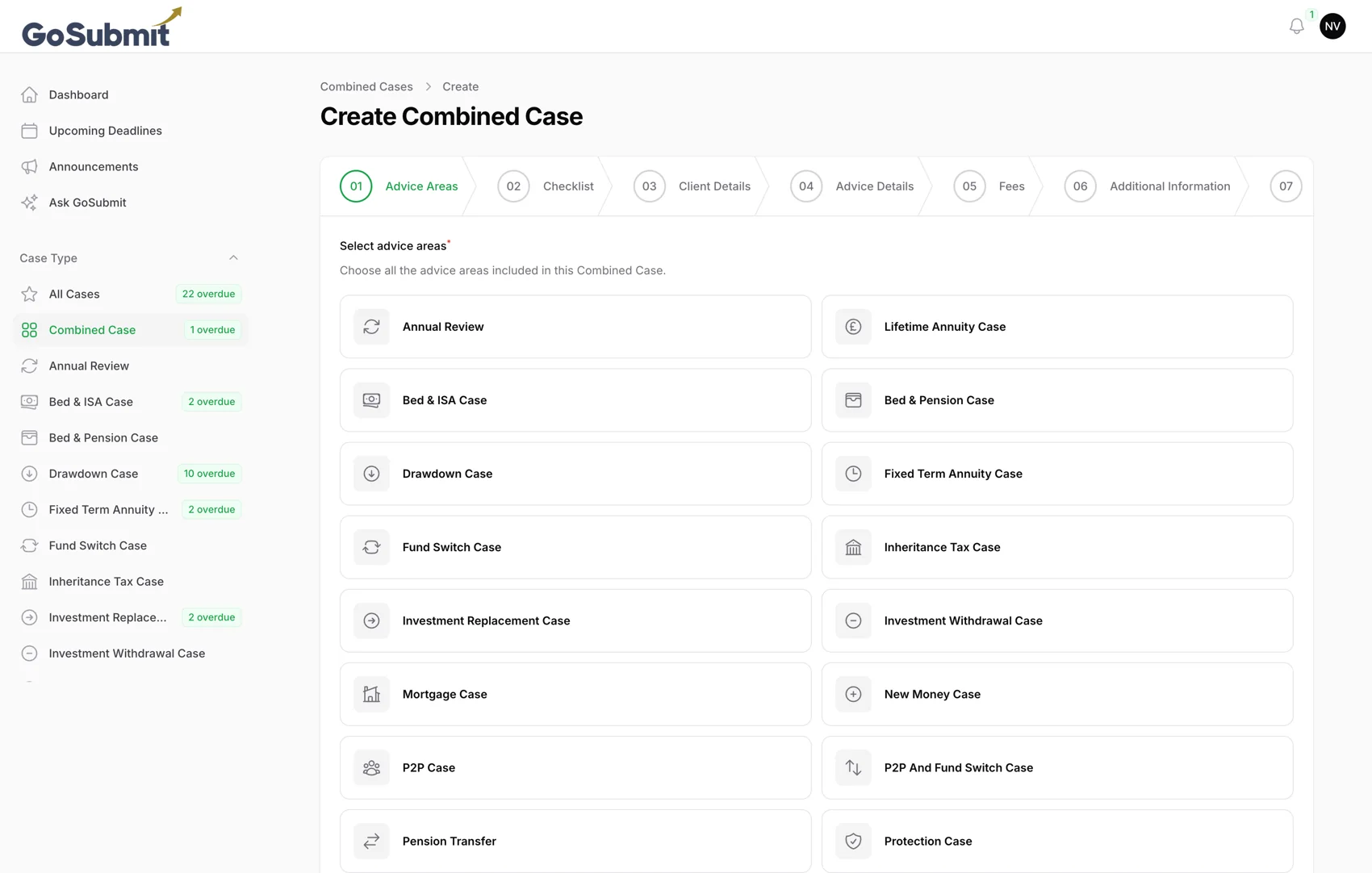
Bring related advice needs into a single submission rather than managing disconnected cases.
Choose multiple advice areas
Keep related information together
Follow one structured workflow
GoSubmit product interface
COLLABORATION
Keep the conversation with the case.
Shared case notes and document categories reduce the need to search through email threads.
CASE NOTES
Advisers and paraplanners can both respond.
Time-stamped case notes give both sides a shared history of questions, answers and updates. Relevant notifications help people stay informed.
SUPPORTING DOCUMENTS
Files in the right place.
Organise suitability reports, research, illustrations and other supporting files into categories tailored to the case.
YOUR PORTAL
Make it feel like your business.
Configure portal colours, branding, checklists and document types to suit your team's workflow.
TASK MANAGEMENT
Keep the small jobs moving.
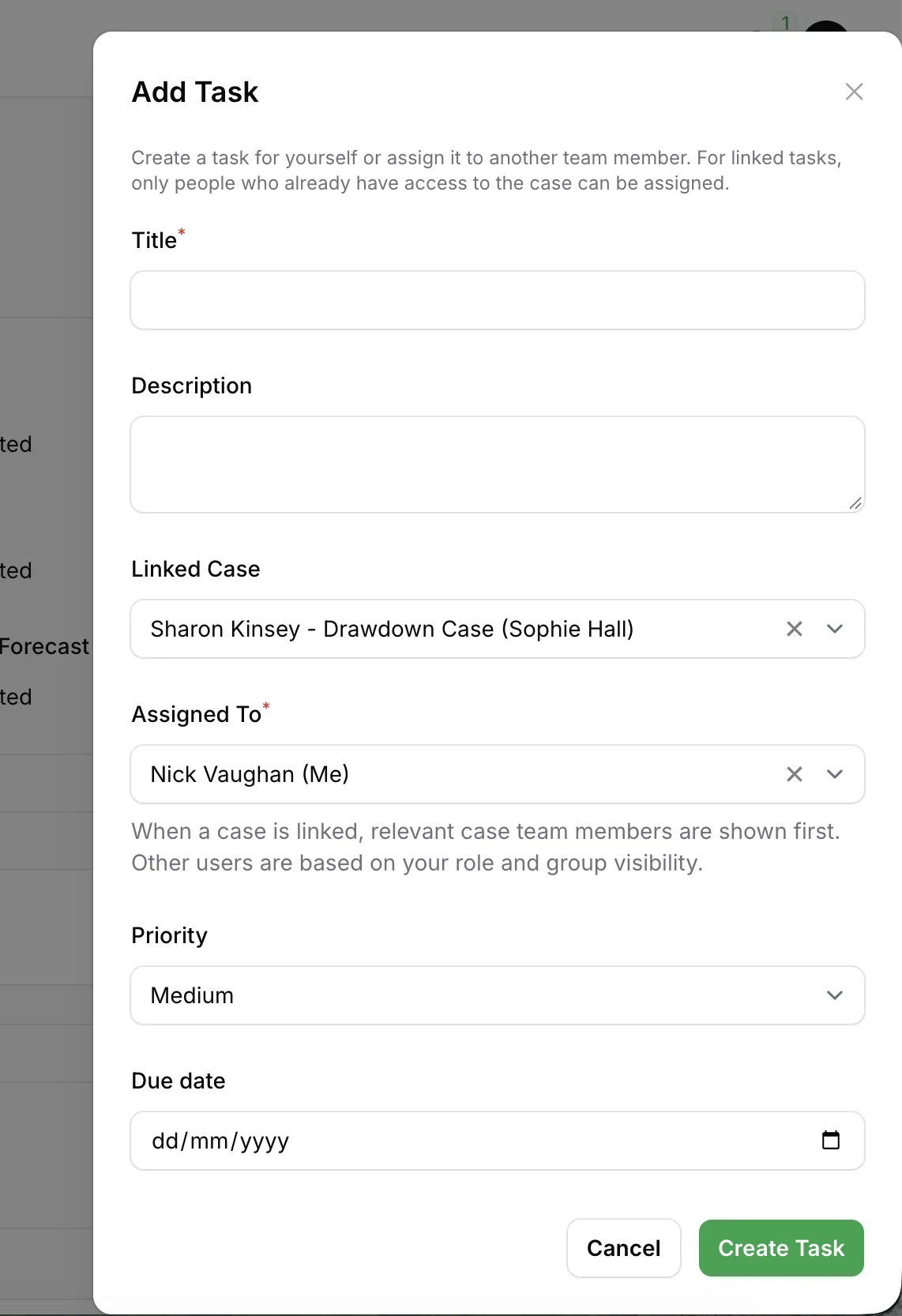
Create personal tasks, link work to a case, or assign tasks to other team members. Set priorities and due dates so follow-ups do not get lost.
Personal and team-assigned tasks
Link tasks to cases
Priority levels and due dates
GoSubmit product interface · illustrative demo data
GOSUBMIT PULSE
A useful briefing, without the chasing.
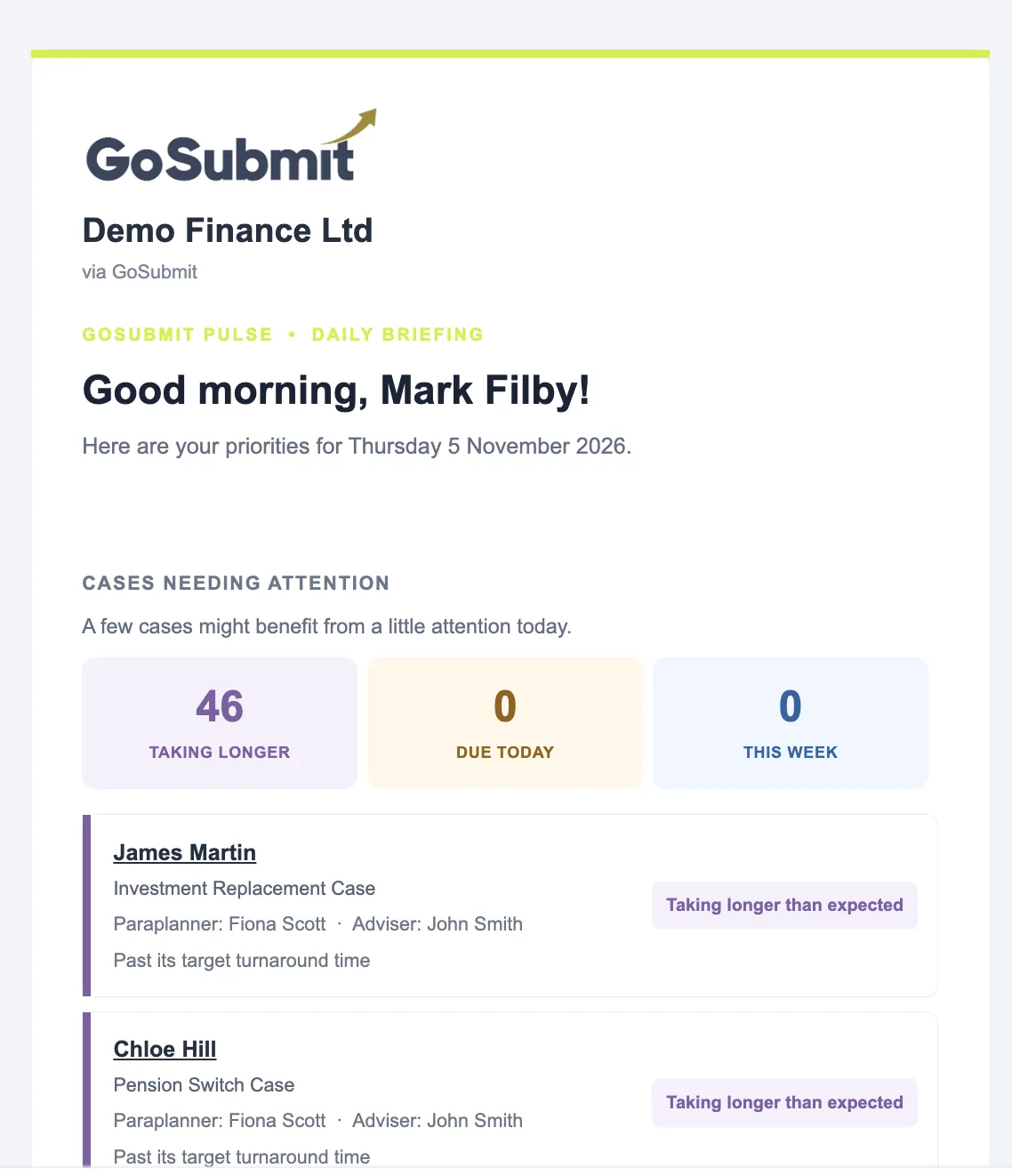
Optionally receive daily or weekly GoSubmit Pulse updates highlighting cases that need attention, upcoming deadlines and work that may be taking longer than expected.
Choose daily or weekly updates
See cases needing attention
Keep upcoming deadlines visible
GoSubmit product interface · illustrative demo data
CASE TIMELINE
See how a case has progressed.
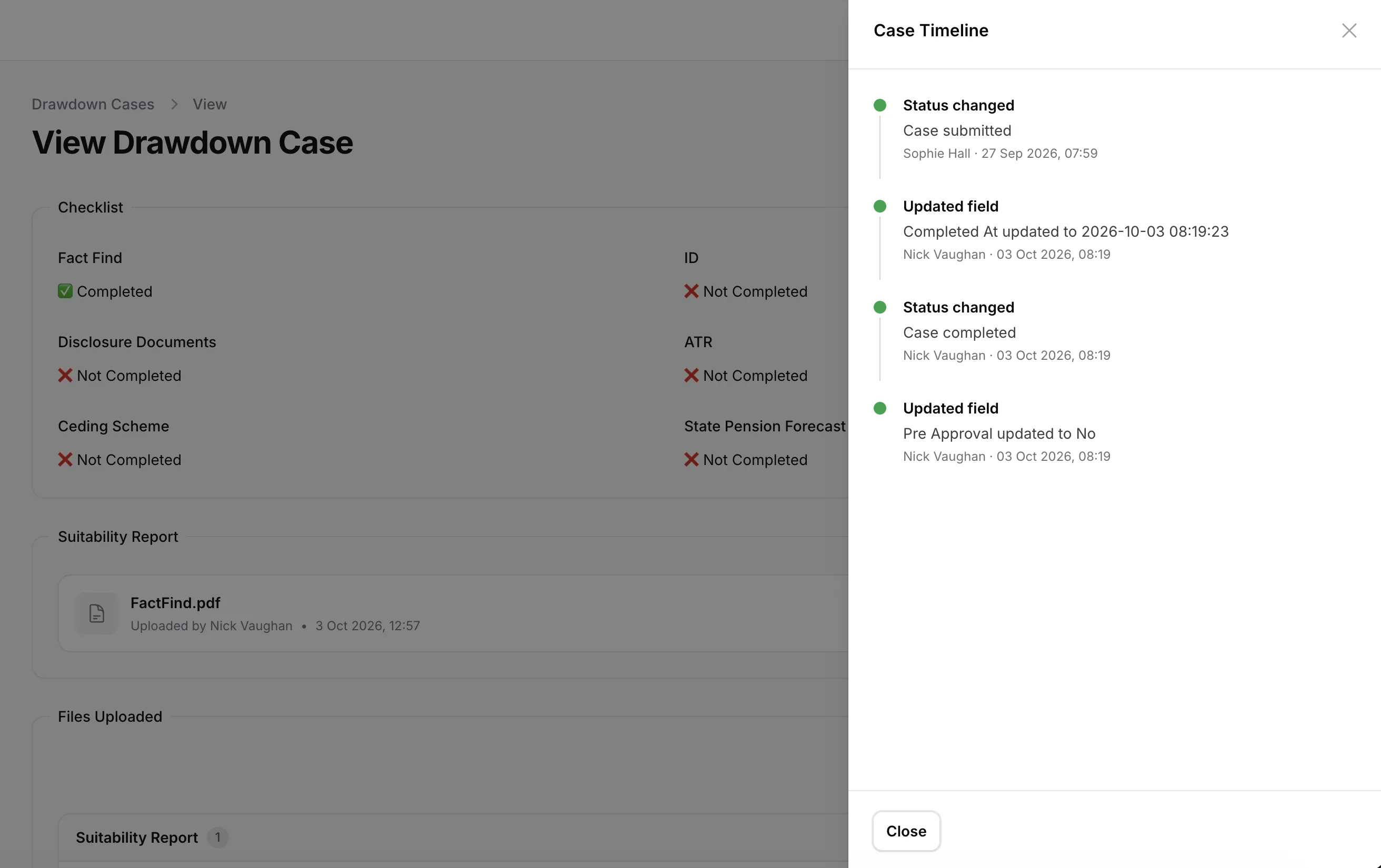
Key case changes are automatically recorded in a chronological timeline, giving authorised team members a clear view of updates and milestones.
Automatic tracking of case changes
Status changes and field updates
Chronological history with timestamps
GoSubmit product interface · illustrative demo data
DEADLINES & CALENDAR
Plan around deadlines and availability.
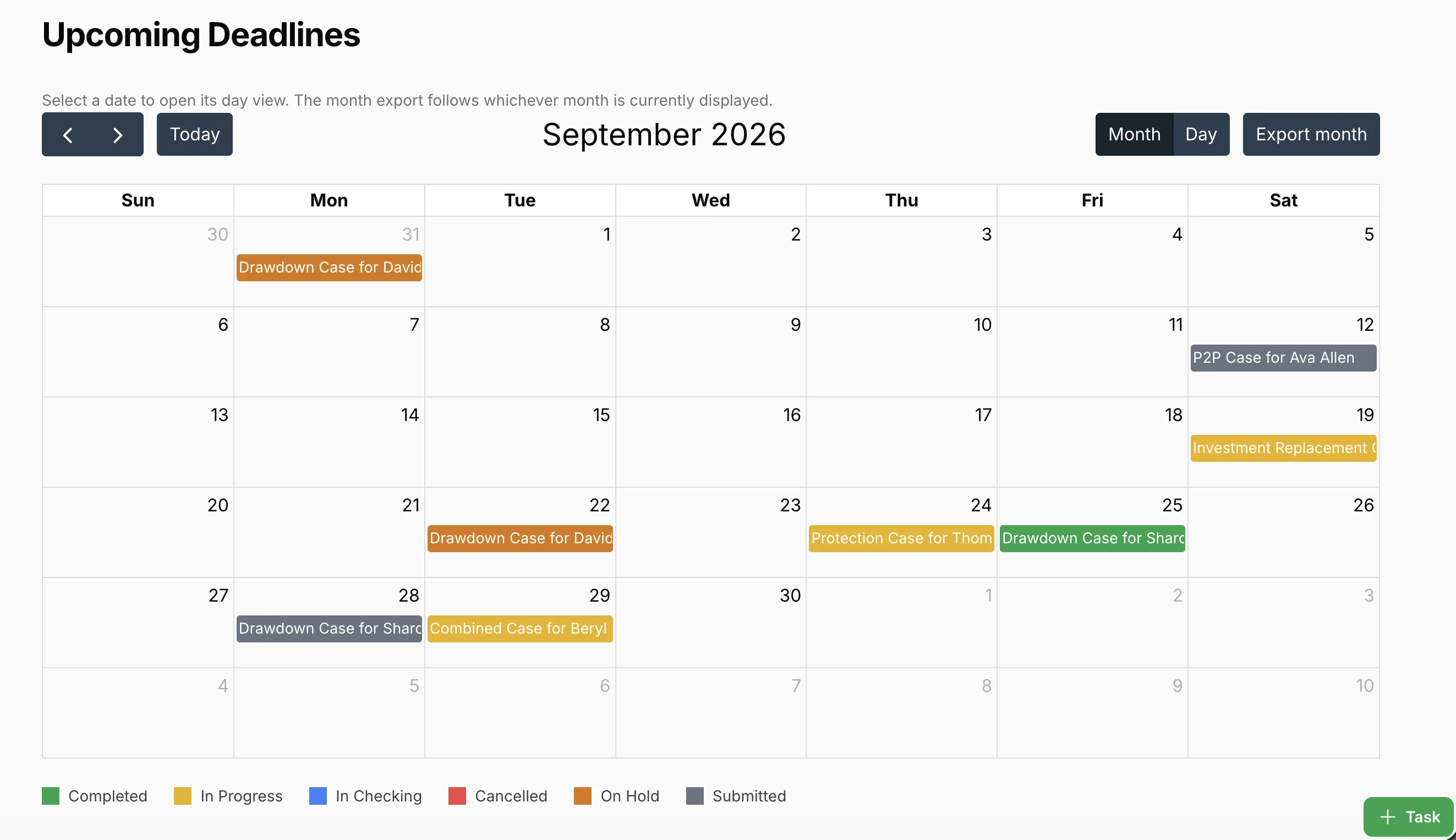
Set estimated completion dates, view upcoming deadlines and manage paraplanner availability. Advisory warnings flag absences on a deadline or within the two preceding working days.
Estimated completion dates and availability warnings
Month and day calendar views
See upcoming work and export the displayed month
GoSubmit product interface · illustrative demo data